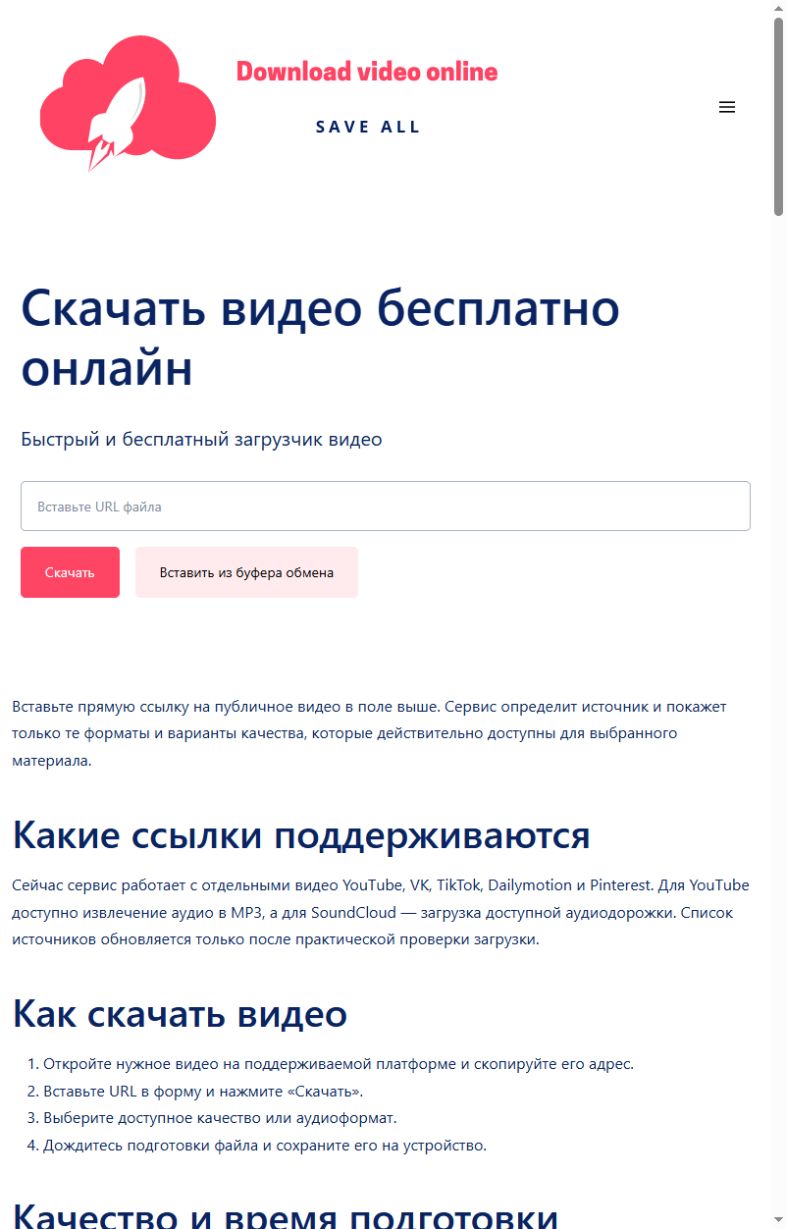
Paste a direct link to a public video into the form above. The service checks the source and displays only the formats and quality options that are actually available for that item.
Supported sources
The downloader currently works with individual public videos from YouTube, VK, TikTok, Dailymotion and Pinterest. YouTube audio can be converted to MP3, while available SoundCloud tracks can be downloaded as audio. A source is listed only after a real download test.
How to download a file
- Open the video on a supported platform and copy its URL.
- Paste the address into the form and select “Download”.
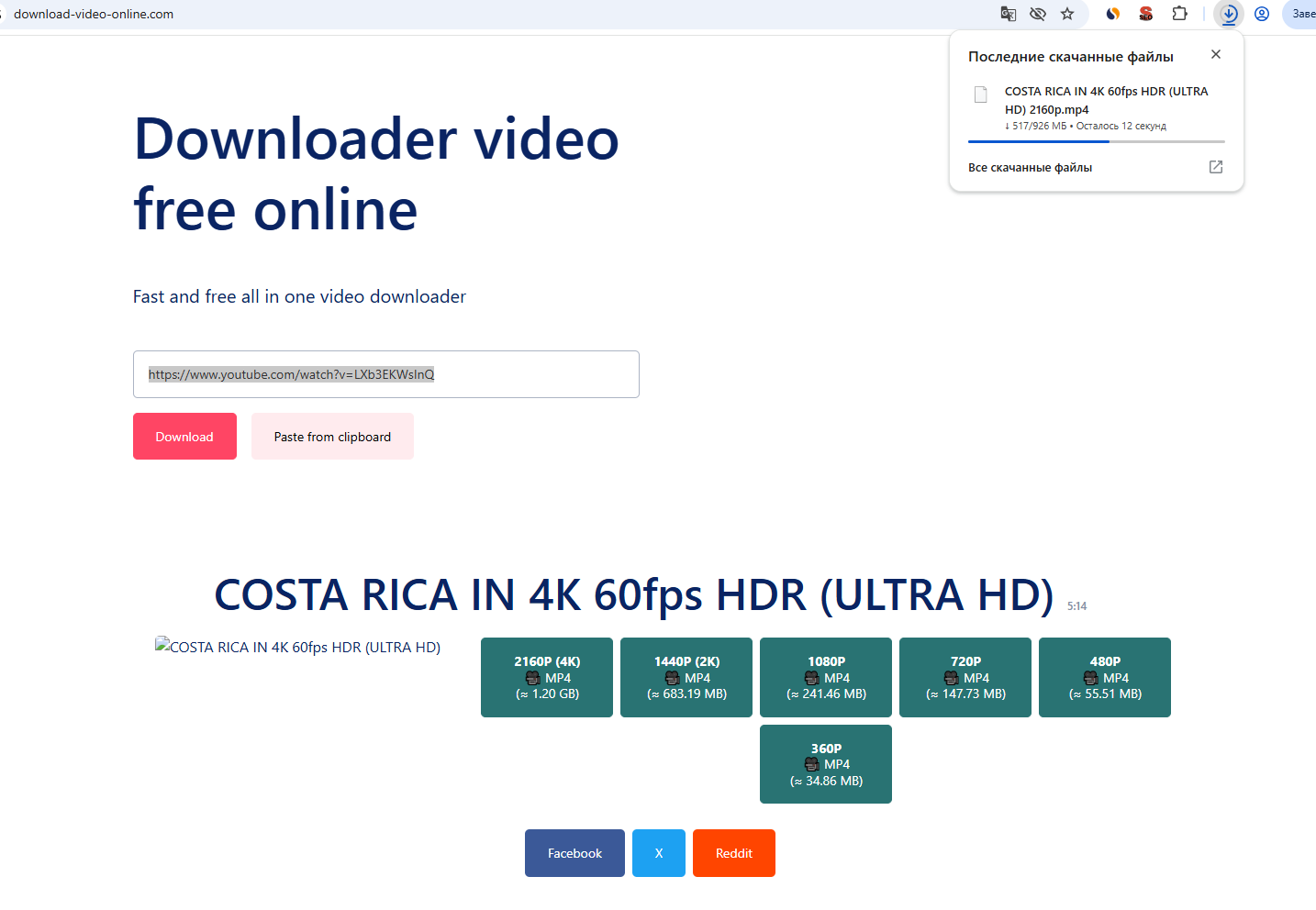
- Choose one of the available video or audio options.
- Keep the preparation page open until the browser starts the download.
Quality and preparation time
YouTube videos may be offered from 360p through 1080p, 2K and 4K, depending on the original upload. High-resolution files take longer because separate video and audio streams must be downloaded and merged. One item may be up to 30 minutes long and the finished file may be up to 1.5 GB.
Limits and temporary storage
Playlists, private or deleted posts, DRM-protected streams and pages that require an account are not supported. Prepared files remain available for a limited time and are removed automatically within one hour. Download only material that you are permitted to save.
What we actually checked: Download Video Online
Latest successful check:
Formats and quality
YouTube: MP4 up to 4K and MP3 192 kbps. Dailymotion and Pinterest: MP4. SoundCloud: M4A. VK and TikTok: MP4 when exposed by the public source.
Confirmed result
On 1 November, YouTube, Dailymotion, Pinterest and SoundCloud passed recognition and a 1,024-byte range download. The published VK and TikTok dates remain their latest successful checks.
Real screenshots of the process
These screenshots were taken on this site during a real check with a public YouTube item: first the link is submitted, then a quality is selected and the browser download begins. Language versions can differ in wording.
Common errors and what to do
| What happened | What to do |
|---|---|
| The URL points to a profile, channel, board or playlist. | Copy the address of one public video or track. |
| The item is private, deleted, restricted or requires sign-in. | Check it in a private browser window and use a genuinely public item. |
| The source is temporarily unavailable. | Wait several minutes and retry once; repeated clicks do not help. |
Honest service limits
- One public item per request.
- Maximum duration: 30 minutes.
- Maximum prepared file: 1.5 GB.
- Private, deleted, DRM-protected and sign-in-only items are rejected.
How we test
- Open one real public item without signing in.
- Submit its URL through the same public form visitors use.
- Record the formats and qualities returned for that exact item.
- Request the first 1,024 bytes of the selected file and require HTTP 206 with the expected media type.
- Change the public check date only after every step succeeds.
A successful check confirms the public example used on the stated date. It does not guarantee access to every post on a platform.
 YouTube
MP4 up to 4K and MP3
YouTube
MP4 up to 4K and MP3
 VK
Public VK videos
VK
Public VK videos
 TikTok
Public video posts
TikTok
Public video posts
 Dailymotion
Available MP4 files
Dailymotion
Available MP4 files
 Pinterest
Video pins
Pinterest
Video pins
 SoundCloud
Available audio
SoundCloud
Available audio