The form above extracts the audio track from one public YouTube video and prepares a 192 kbps MP3. No desktop application or browser extension is required.
How to create the MP3
- Copy the URL of the YouTube video.
- Paste the link into the form and wait for the available options.
- Select “MP3 192 KBPS”.
- After conversion, save the audio file in your browser.
What determines audio quality
Conversion cannot improve the original recording. The result depends on the audio stream published by YouTube. The 192 kbps value describes the output MP3; it does not restore detail that is missing from the source.
Processing time and limits
The service extracts and prepares the source audio as MP3, so long recordings require more time. The tool accepts individual public videos up to 30 minutes long. Playlists, private videos, deleted items and content that requires authentication are not supported.
Only download audio when you have permission from the copyright holder or another lawful basis to keep it.
What we actually checked: YouTube to MP3
Latest successful check:
Formats and quality
MP3 audio at 192 kbps when the public video exposes an accessible audio track.
Confirmed result
The public test video returned MP3 192 kbps. The range request returned HTTP 206, 1,024 bytes and audio/mpeg.
Real screenshots of the process
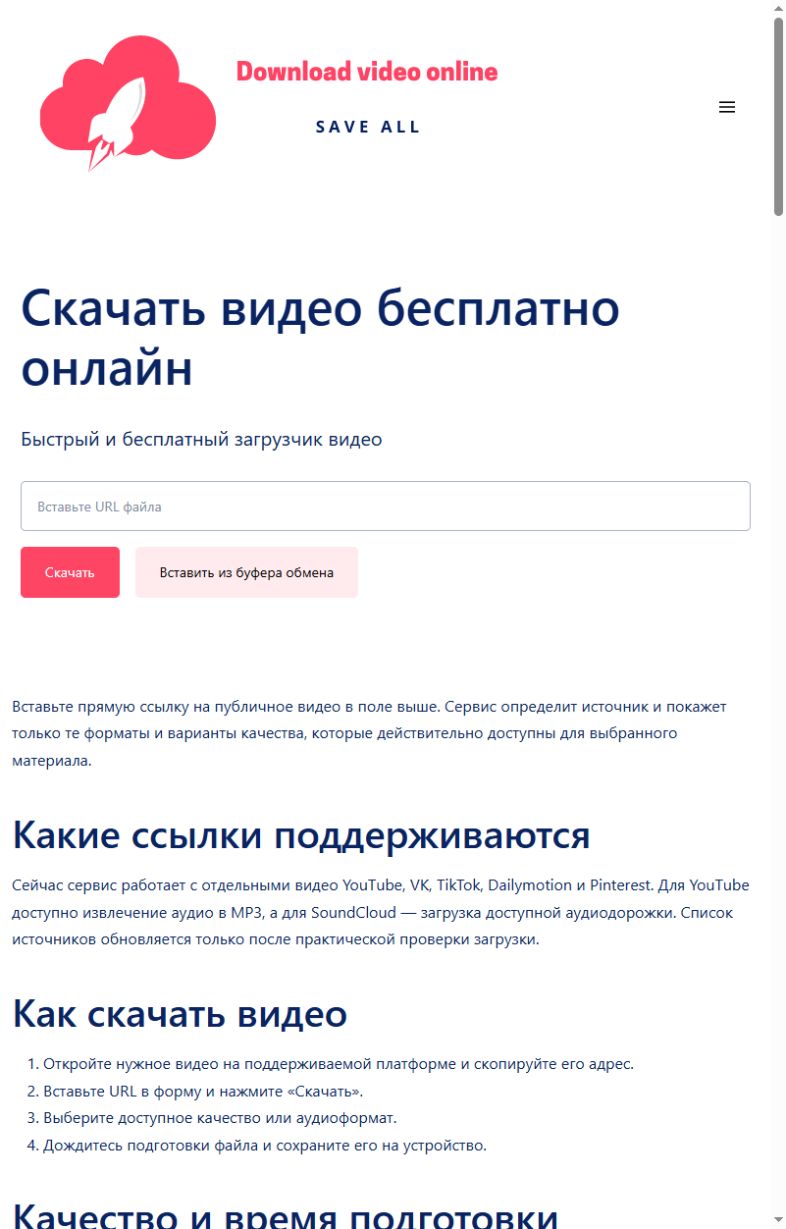
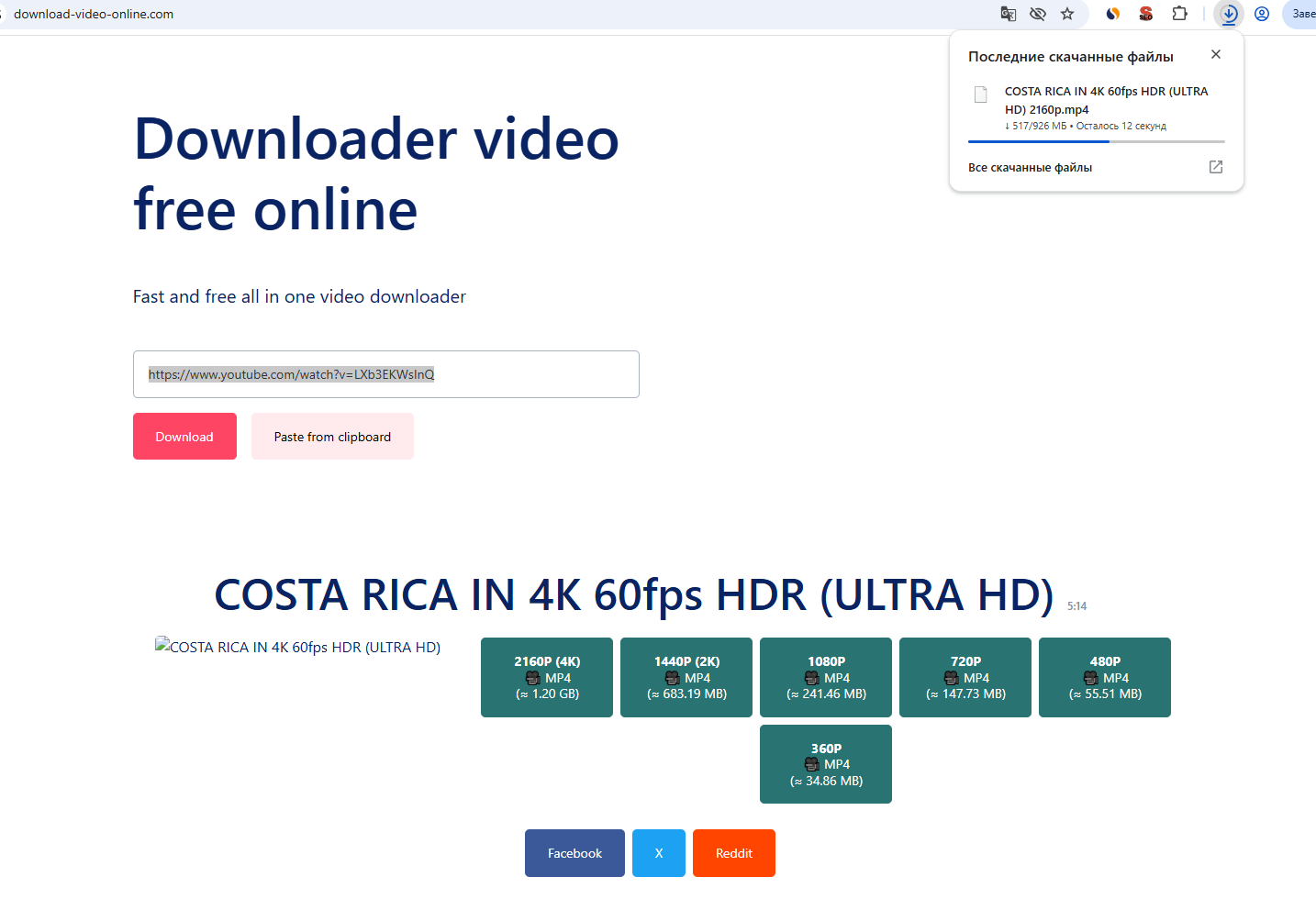
These screenshots were taken on this site during a real check with a public YouTube item: first the link is submitted, then a quality is selected and the browser download begins. Language versions can differ in wording.
Common errors and what to do
| What happened | What to do |
|---|---|
| No accessible audio track was found. | Try another genuinely public video. |
| The video requires sign-in. | The service does not accept account credentials or cookies. |
| A long recording takes too much time. | Use an individual public video within the 30-minute limit. |
Honest service limits
- Output bitrate does not improve the original recording.
- One public video at a time.
- Maximum duration: 30 minutes.
- Playlists and sign-in-only videos are not processed.
How we test
- Open one real public item without signing in.
- Submit its URL through the same public form visitors use.
- Record the formats and qualities returned for that exact item.
- Request the first 1,024 bytes of the selected file and require HTTP 206 with the expected media type.
- Change the public check date only after every step succeeds.
A successful check confirms the public example used on the stated date. It does not guarantee access to every post on a platform.